
Landscape design software is a major investment, but its true value varies depending on how well your team utilizes it. Becoming proficient with the software is only half the battle. It is equally important to have a strategy in place to stay aware of updates as they are released.
“Designers tend to develop a workflow that works for them and then become extremely efficient at that workflow,” says Dan Weaver, senior account executive for DynaScape. “The downside is that once you’re comfortable producing drawings a certain way, you may not go back and explore everything else the software can do.”
Shorten the Learning Curve
One way that new users can familiarize themselves with landscape design software is to start by learning the workflow they use every day versus trying to learn every command in the software.
“Take a real project and learn how to create the base plan, draw the major design elements, place plants, label the drawing, make a revision and produce the final presentation,” Weaver says. “Once that workflow becomes comfortable, start adding tools that eliminate repetitive steps.”
It’s also a good idea to take advantage of the various vendor training resources available.
Tony Kostreski, lead product specialist at Vectorworks, says they have a dedicated Landmark onboarding learning path that covers the typical tasks a landscape designer will face on a project from importing survey data to building the site model. Vectorworks also offers on-demand ‘Coffee Break’ sessions that cover specific topics.
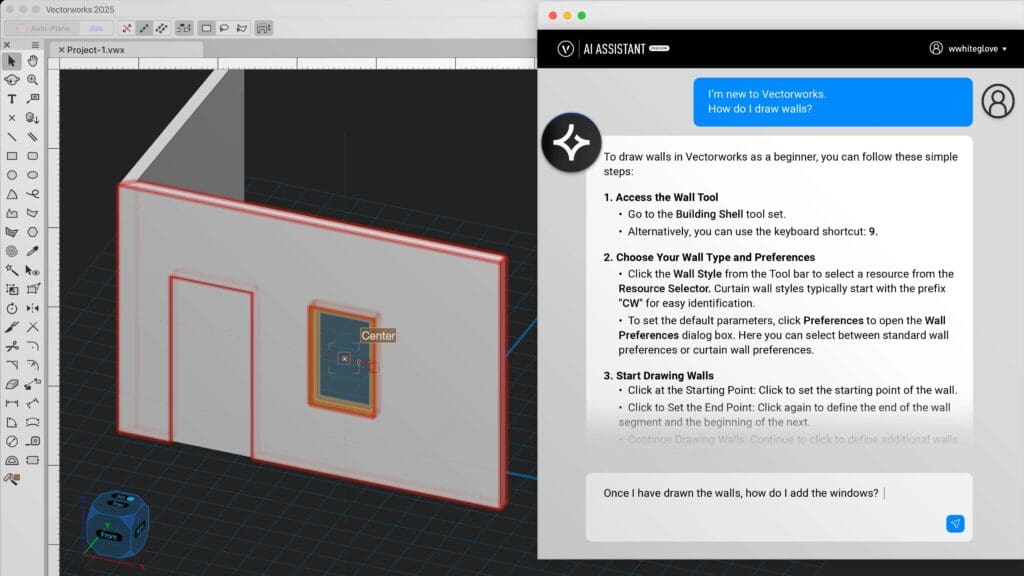
“What we’ve added to make it even easier to learn is what we call our AI assistant,” Kostreski says. “So this is built directly inside the interface of Vectorworks, and you can ask questions to the AI assistant, and it will provide links to resources.”
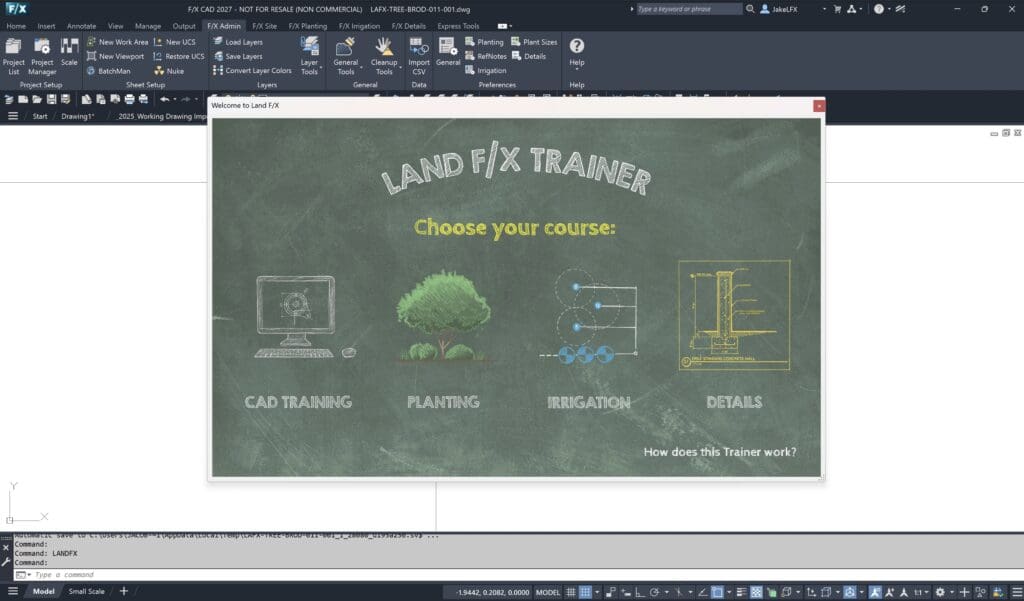
Jeremiah Farmer, CEO of Land F/X, says they have a trainer built into their software that shows a user a video; they follow the steps, and then it will verify if the user did it correctly.
Weaver also recommends learning shortcuts and reusable elements early on.
“Saving thirty seconds doesn’t sound important until you perform the same task hundreds of times during a season,” Weaver says.
Kostreski says one tool that can speed things up in Vectorworks is the command ‘Create Objects from Shapes.’
“Imagine doing your entire design just in plain 2D, you have shapes that represent plant beds or hardscape or anything, and all you have to do is right-click and say ‘Create objects from shapes’, and you get a nice list of what you want to convert this to, and you can turn it into anything that’s that you’ll see on a site,” Kostreski says. “That could be the hardscape. It could be a patio. It could be a curb. It could be a fence.”
Weaver says that with DynaScape, users can build their own reusable design vocabulary.
“If you find yourself drawing the same feature repeatedly — a particular planting arrangement, outdoor living detail, construction element or graphic treatment — turn it into a reusable figure or build it into the way you structure your drawings,” Weaver says.
How to Stay in the Know
The second crucial element to staying productive with landscape design software is keeping up with the updates as they come out. Because this technology changes rapidly, it’s best to have one person on your design team responsible for periodically reviewing recent software updates and sharing with others the relevant upgrades.
Rather than trying to catalog every product update, your designers should focus on the features that affect their workflow. As different features are implemented, your team can reap the time-saving benefits faster than others who continue to operate unaware of these changes.
For Land F/X, Farmer says they roll out new updates every Friday on their website, and they put out power tip videos every month that let users know about some of the new features available. Similarly, DynaScape has a software product update page that can be checked.
Kostreski says whenever they introduce a new feature, they will also create a video explaining it on Vectorworks University.
Conduct Periodic Software Audits
While it’s easy for designers to get accustomed to a certain workflow, it’s also common to accept certain processes as unavoidable or create convoluted workarounds. This is why you should regularly review the workflow to identify what steps could be automated and which tasks are taking the longest.
“Sit down, have a meeting, and you’re going to find out some frustrations that your team has that you were totally unaware of,” Farmer says. “They just never brought it up because no one wants to sound like a complainer. No one wants to say, ‘It takes me an hour every project to set up all the sheets. It’s a pain in the butt.’ That’s a great thing to automate. Just be open to the potential of more efficiencies.”

Ask designers what work they’re duplicating, what they’re doing manually and what workarounds they implemented over the years.
Farmer argues that landscape companies should also periodically audit their design software to ensure it’s still the best solution for the job.
“You have to do that,” Farmer says. “Even though I recognize there’s the sword of Damocles threat for us at any point as well, it should be that way. You should always have that fear that you’re going to lose customers if you don’t make a good product, and so that’s my constant motivation.”
Before making a switch, make sure to contact the vendor about these pain points, as in some cases the solution may already exist; there may be training materials to assist the designer, or the feedback can result in the brand making the necessary improvements.
Kostreski says Vectorworks has their public roadmap, which allows users to see what features are already scheduled, what is currently under development, and what is currently being researched.
“Anyone can go in there, submit ideas and upvote,” Kostreski says. “You can comment on very specific features that are already being researched and say, ‘This is important to me.’ ‘This is not important to me.’ Because that helps just continuously improve the product for the needs of the industry.”
Ultimately, conducting software audits is about ensuring that your team is making the most of your design software one way or another.