
Landscape design software is an excellent tool for speeding up your overall creation process, but if you’ve become comfortable in your routine with the system, chances are you are overlooking some key quality-of-life features that have been added over the years.
“Once you build out a workflow and you don’t have a necessary reason to circle back to see what’s changed, I think you just tend to stick with it, especially with the deadline pressure of all these projects that designers work on,” says Tony Kostreski, lead product specialist at Vectorworks. “So usually, the designers are going towards the fastest known path rather than the best available one.”
More Than a Drawing Tool
The various landscape design software available are robust and offer capabilities beyond simply sketching a plan out.
Dan Weaver, senior account executive for DynaScape, encourages landscape designers to think of a landscape plan as far more than a visual deliverable. The data they can also provide is invaluable for your team.
“With DynaScape, designers can label plants and materials, automatically count quantities, measure areas and build plant and material takeoffs as they design,” Weaver says. “That creates a much stronger connection between the creative side of the project and what ultimately needs to be estimated and built.”
Kostreski says with their site model tools, users can do full terrain grading, run slope analysis, cut/fill and surface drainage.
“That used to be a manual effort of doing terrain work, and this allows you to do it more in a live situation and get a model that updates as your design changes,” Kostreski says.
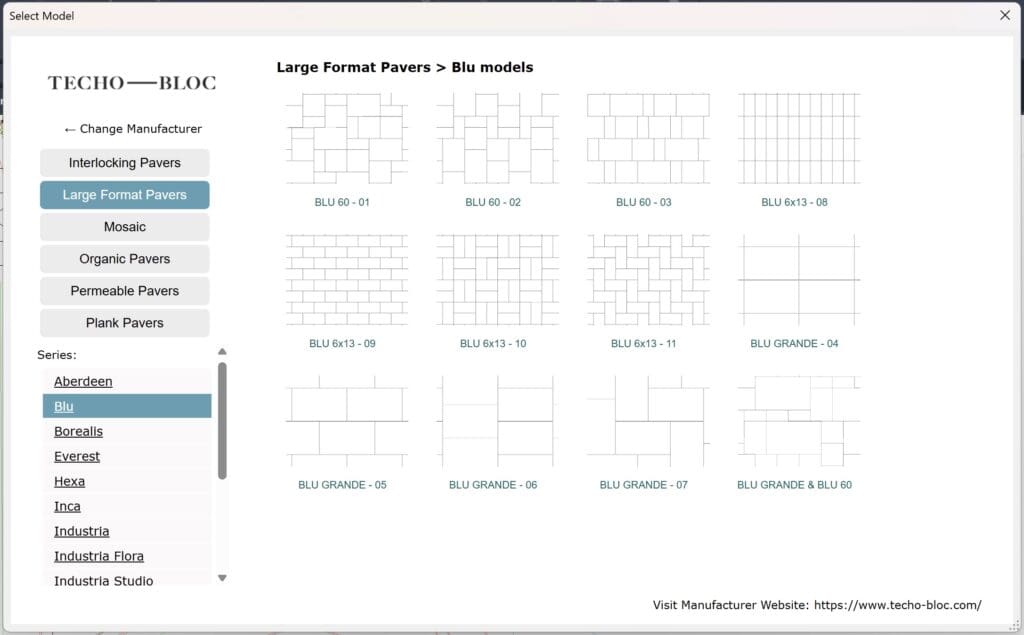
Jeremiah Farmer, CEO of Land F/X, says one of their most commonly overlooked features is their hardscaping tools.
“A lot of times they’ll just place a hatch, and they’ll just say, ‘Oh, it’s this sort of style on paper, and be like, ‘That’s good enough,’” Farmer says. “But then when they do get into it, yes, of course, there’s time savings. You really have to look at the long-term time savings.”
Farmer adds that their software also allows users to generate various reports based on the data generated within the designs.
“I have this general philosophy that whenever you engineer anything you have to have an ability to get that data out as some sort of report because otherwise the data is worthless,” Farmer says. “You don’t want software that just makes you pull it up in a dialogue box.”
With Vectorworks, users can track different sustainability metrics including embodied carbon, urban greening factor, biomass density and biodiversity net gain within each design.
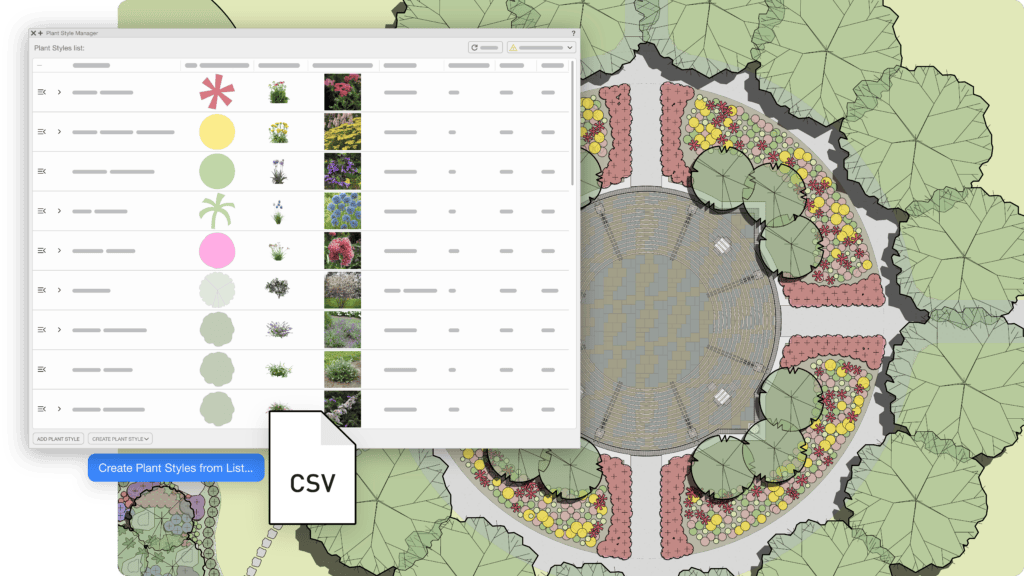
Photo: Vectorworks
“The way that works is every object that you place in your model can have data associated with it,” Kostreski says. “If you’re using out-of-the-box resources like materials, those will already have an embodied carbon factor associated with them. Based on the volume, all that gets plugged into the sustainability dashboard, and it will calculate it for you.”
Kostreski also recommends tapping into one of their newer tools, the Plant Style Manager, which allows users to connect data to nursery partners.
“We can basically link all of their data along with any plant images to a plant,” Kostreski says. “So, this allows our users to generate their own custom libraries much more efficiently while also tapping into live data, especially for nurseries that they’re familiar with.”
Streamline Your Tasks
When your design software is used to its full potential, it can also help eliminate common bottlenecks and repetitive tasks.
Weaver says that DynaScape often helps reduce duplicate work. Rather than manually counting plants or building separate materials lists and updating these every time the plan changes, their software can generate takeoff information from the plan itself.
“Revisions are another major bottleneck,” Weaver says. “In a digital CAD environment, designers can move, copy, adjust, and reuse elements instead of redrawing large portions of a plan. That becomes especially valuable when a client says, ‘I love it — can we just change these three things?’”
Farmer agrees that the eternal cycle of revisions can slow work down drastically. Yet their software can increase the amount of work experienced designers can complete on their own. He says in one instance it has allowed one irrigation designer who previously relied on two assistants to complete and review plans by himself.
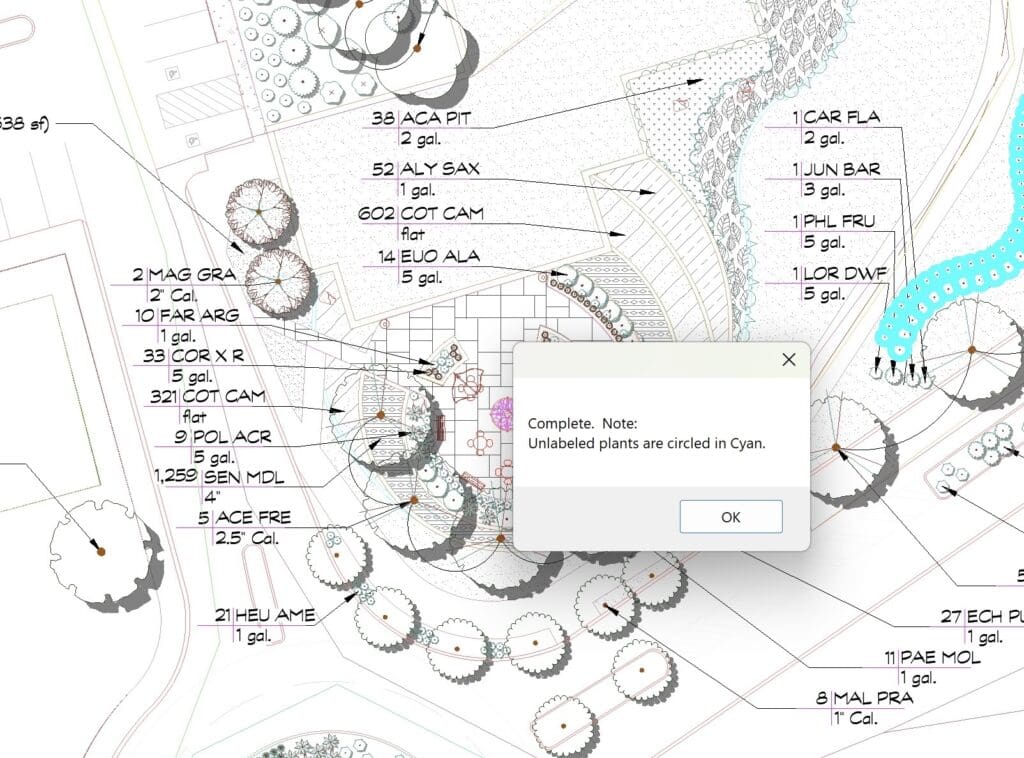
“He can just simply do all the work himself, and it gets done on time,” Farmer says. “I mean, done to the point the software even verifies all the valves are sized right, all the pipes are called out. The whole thing was done in 30-40% of the time it would have normally taken, and it’s such a massive improvement in efficiency, and not just efficiency, but also accuracy.”
Farmer says Land F/X can also free up staff to work on more meaningful tasks by automatically counting plant labels. He says some firms would previously spend weeks having interns hand-count plant labels, but with their software it can be done at the click of a button.
Meanwhile, Vectorworks allows designers to work in 2D and 3D simultaneously, reducing the need to jump between multiple programs and recreate work.
“If you move objects in 2D, that’s automatically going to happen in 3D,” Kostreski says. “If you think about our plants and a site model being the terrain, plants automatically hit the surface of the terrain. So you’re not juggling the Z elevation of every object, and you can actually split your screen up with a command that we call multi-view. This allows you to view your project in a top plan view, a 3D view, an elevation view, or even a section view, all at the exact same time, and you can just jump between the different views.”
Bring Projects to Life
Other features to take advantage of with landscape design software are the different tools that can assist with the presentation aspect of the project. For many clients, how well they can visualize your proposal plays a direct role in whether they end up working with your firm.
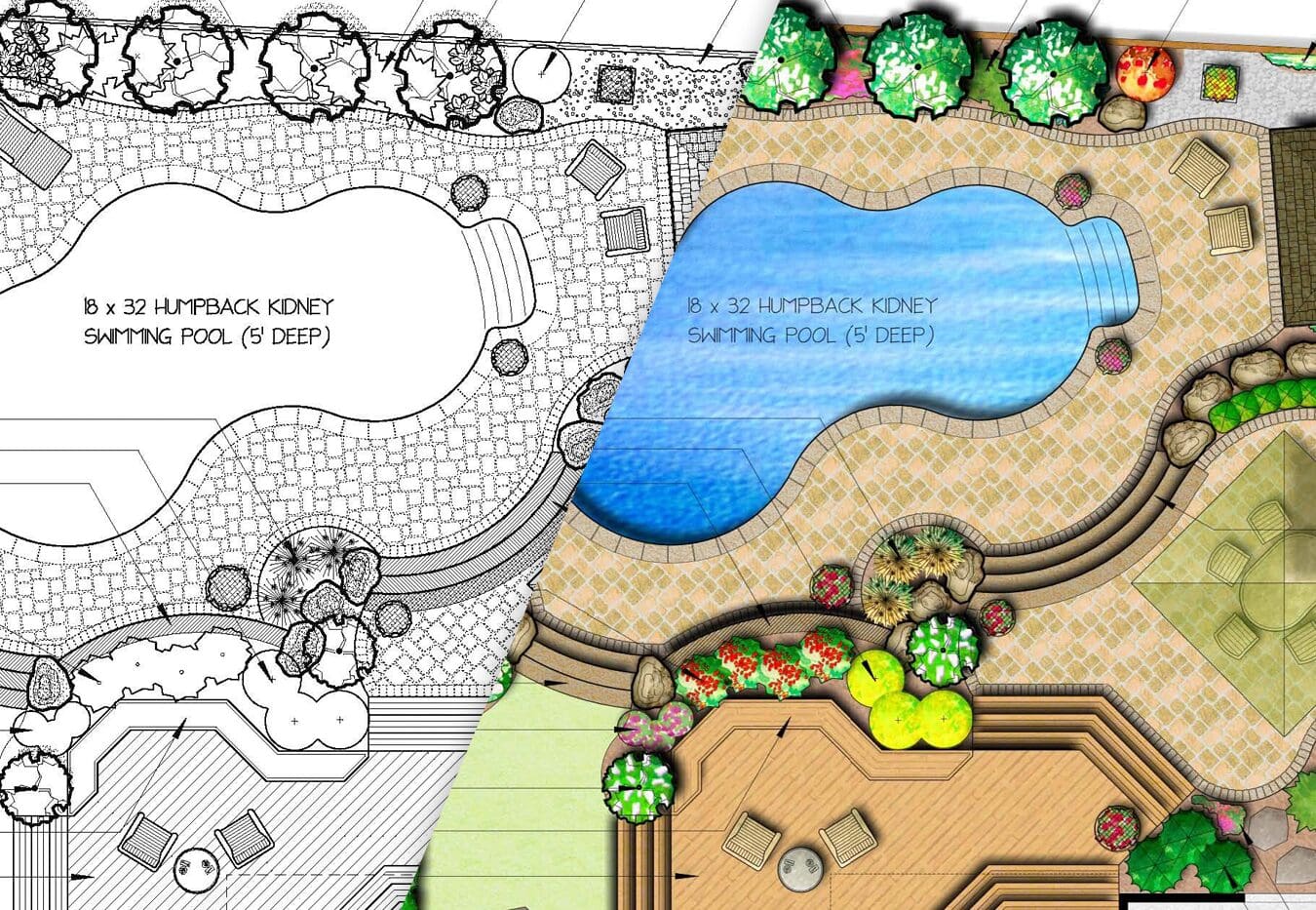
Farmer says one tool they offer that enhances landscape designs is their reengineered color render system, so now designers can create a color-rendered plan in AutoCAD instead of having to hand-color or export and color the plan in Photoshop.
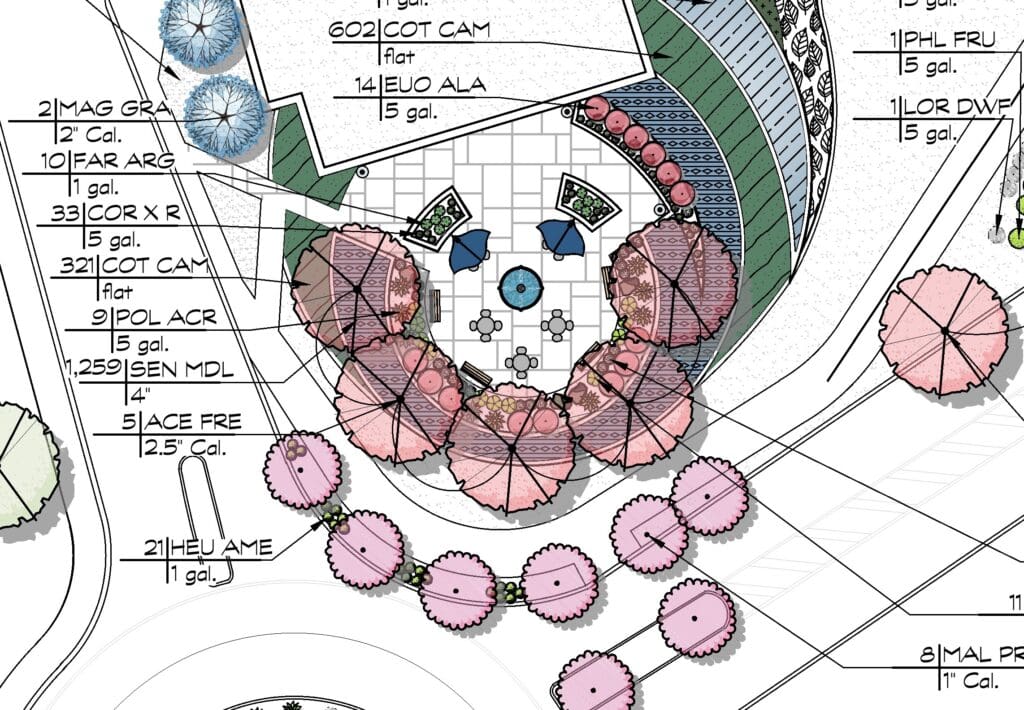
“What happens is you tend to not do a color rendering on every plan,” Farmer says. “Why would you? Because you’re going to have to bill the client for it, and when you ask them, ‘Do you want to pay another $500 for a color render?’ And they’re going to go, ‘No,’ so you don’t do it. But now, we hear from people, ‘I love that color render. I just turn on the color render, and I give it to the client.’ It’s not a separate line item.”
One of Vectorworks’ new tools is the AI visualizer, which can help generate images from a conceptual standpoint.
“You can start off with some basic line work, and then use the AI visualizer along with natural language prompts to be able to visualize your idea much quicker,” Kostreski says. “You can also make use of it to generate new materials or texture, seamless patterns.”
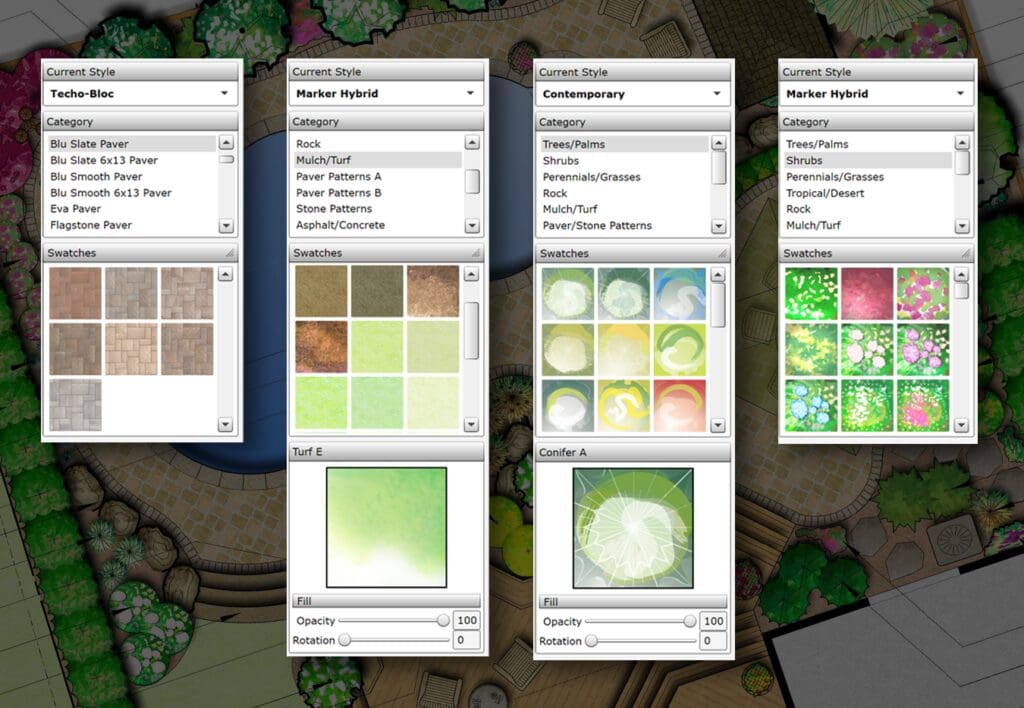
Weaver says one of the significant developments with DynaScape has been bringing DynaScape Color and Sketch3D compatibility to Creator.
“Designers can begin with a professional 2D plan in Creator and then take that same work into a polished color presentation or a 3D visualization,” Weaver says.
Weaver adds that DynaScape Creator has evolved so that designers can create custom figures and develop a visual language that fits their style versus being limited to a standard library.
“Over time, instead of starting every project from scratch, you begin building your own library of proven elements,” Weaver says. “That does two things at once: it speeds up your design process and makes your drawings more recognizably yours. Efficiency doesn’t have to come at the expense of creativity.”
Key Takeaways
- Landscape design software can provide far more than a finished drawing. Designers can use project data for quantities, takeoffs, grading analysis, sustainability metrics, plant information and other downstream needs.
- Automation can eliminate hours of repetitive work. Automatic counts, connected data, integrated 2D/3D environments and revision tools reduce manual calculations, duplicate work and the need to recreate information when designs change.
- Better software utilization can free employees for higher-value work. Tasks such as manually checking plant quantities or repeatedly revising technical plans can increasingly be automated, allowing designers and junior staff to focus on work that requires their expertise.
- Visualization tools can make polished presentations easier to provide. Integrated color rendering, 3D visualization and AI-assisted conceptual imagery can help clients understand designs without requiring designers to rebuild their work in separate programs.